Posts

Windows 10 Update Fails ... and a fix!

I ran into a pretty strange issue today. A windows 10 machine on build 1803 refused to update to 1903. I tried running the Windows Update Troubleshooter, I tried deleting the update cache in the Windows folder, I tried downloading the Media Creation Tool and creating an ISO file and running the upgrade from there ... no joy. I got errors like "There was a problem running preinstall.cmd scripts error for Windows Setup", Error 0xc19001e2, and Windows Update showing that it was trying to install update 1903 over and over again in a loop but never succeeding. Finally I discovered that this was a Dell PC that had Dell Encryption software installed on it. There wan't an entry in the Programs and Features control panel to remove the software, but it was sitting there in the system tray running every time the computer booted up. Since I wasn't using Dell's encryption solution, I found a way to remove it, using the Dell Data Security  Uninstaller program found here ....

Amazon Echo Alexa - with home automation

When combined with the Samsung SmartThings Hub and zWave light switch controls, the Amazon Echo, i.e. "Alexa" has become a very often used home automation interface at my house. My kids love being able to turn the lights on an off in various rooms in our house using just a simple voice command. And I must say, being able to turn the lights off at night by voice command after you lay down in bed is pretty sweet :). There are some limitations still however -- Alexa gets a bit confused if you have a thermostat labeled "upstairs" and you have created a group of lights called "upstairs" as well. So you have to name things pretty specific prior to setting them up with Alexa ... and then the limitations of the human brain become the problem, because not everybody can remember those specific names you gave the devices!

Amazon Echo Review - pretty cool

Image
We just received our new Amazon Echo a few days ago. I signed up about 2 months ago for an invitation to Amazon's beta program, and finally received it, about 20 days earlier than Amazon's original estimated ship date. So far it has proven to be quite entertaining. My 5 year old and 3 year old kids love playing with it, asking things like: Alexa, tell me a joke! Alexa, how much does the earth weigh? Alexa, how old are you? Alexa, play kids music! We placed it in the kitchen, since the initial supported feature set seemed well suited for that location. The music playback sound quality is pretty good. Not good enough for people who are crazy about bass response, but not bad. Certainly good enough for some background music in the kitchen. It's always interesting to see what children do with technological products - in this case, I wish the Amazon engineers could watch my kids interact with it, especially on their first few days. After Alexa told a joke, they wante...

Farewell to my traditional landline phone

Image
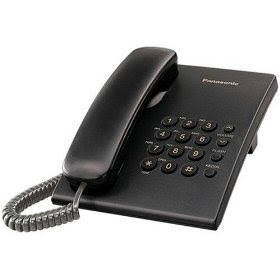
At our house, I've finally made the move to VOIP. After trying several different solutions out, including Skype as a possible VOIP (Voice over Internet Protocol) solution, I've found a solution that seems to offer the quality of service I am looking for at the price I was willing to pay. I'm a landline snob. I enjoy the portability and convenience of cell phones, but frankly, I can't stand the spotty coverage and lower voice quality of cell phones, especially on long phone calls. And with the band my wife and I play in, we have radio interviews from time to time over the phone -- we always do those with a land line phone. I can't image how annoying that would be to conduct a radio interview with someone on a cell phone .... "can you hear me now?" We migrated from AT&T's traditional POTS (plain old telephone service) line to a Comcast converged internet and voice service about 4 years ago. Comcast's voice service was just as advertised - super h...

Revisiting the iPhone, versus Windows Mobile and Android on the Motorola Droid

About 6 months ago one of my clients gave me an iPhone 2G (the original, first generation iPhone) when he upgraded to a 3GS. Prior to that time, I didn't really toy around with the iPhone much, but this gave me a great chance to experience the iPhone and understand how it works. I had been using Windows Mobile as my primary phone, but definitely leaning towards a switch to either an Android or iPhone platform. My wife has had the Motorola Droid on Verizon's network for 6 months, and I've gotten to play with that as well ... it certainly has it's advantages. Three of my friends got the iPhone 4 on the very first day it was available. I got to play with it quite a bit (including discovering the "death grip" problem with the external antenna without 5 minutes of using the phone). I remember seeing a news item about a prototype of the iPhone 4 being discovered in a bar, and it was in a case that made it look like an iPhone 3G. I wonder if all of the prototypes wer...

HP Laserjet 2605DN Issues and Thoughts

Image
A few years ago we picked up an HP Laserjet 2605DN printer at Costco for a great price. Our previous color laser was having color image quality problems, so we decided to pass that on to a friend who 0nly needed black and white printing, and we started using our brand new HP. At first, all was well, and the print quality was great. 2 years later, 3,769 pages later, we have replaced the black toner cartridge once, and we just finally ran out of toner on the original color toner that came with the printer (per the official toner readings ... although there appears to be plenty of toner left once we turned on the over-ride - more below on that). Several observations over the years. 1) The default RAM included with the printer proved to not be enough when we were printing images from Photoshop - so I upgraded the RAM to 320MB by adding a 256MB memory card. That seemed to solve the out of memory issues we had. Cost: $50. 2) The printer sometimes fails to respond when printing, even with the...

Macbook Unibody 15.4" - Part 2

Well now I have lived with the Macbook Pro for 9 months or so, I've come to admire the good parts of the design, and to reluctantly live with the bad parts. The good: Speakers are great Screen Brightness and Clarity Hotkeys to easily change volume, tracks, brightness Glowing keyboard at night Quiet when using the 9400M video card I love the Expose feature for switching between Apps. The Dashboard widgets are great - very useful and fun Smooth scrolling, multi-touch trackpad rocks! The screen zoom in any application works very smoothly, and I've used it a lot - Windows 7 has a zoom (windows Key +) but it doesn't work nearly as nicely The built-in screen shot utility is great, although Windows 7 has the snipping tool which works fine as well The bad: Boot camp on Windows 7 64 Bit -- it runs nice and fast, but the battery lasts 1.5 hours - come on! I upgraded my Thinkpad from XP to Windows 7 and got an additional hour of battery life - now I get 4 hours on a 3 year old battery...